Skip to content
Auto-Scheduling

Auto-scheduling software that fills shifts around your rules

Assign qualified people around availability, hours, leave, rest, and coverage constraints. Review the result, adjust it, and keep control of every scheduling decision.

How the auto-scheduler works

Our advanced algorithm considers constraints and objectives to make sure your schedule meets your business needs.

1

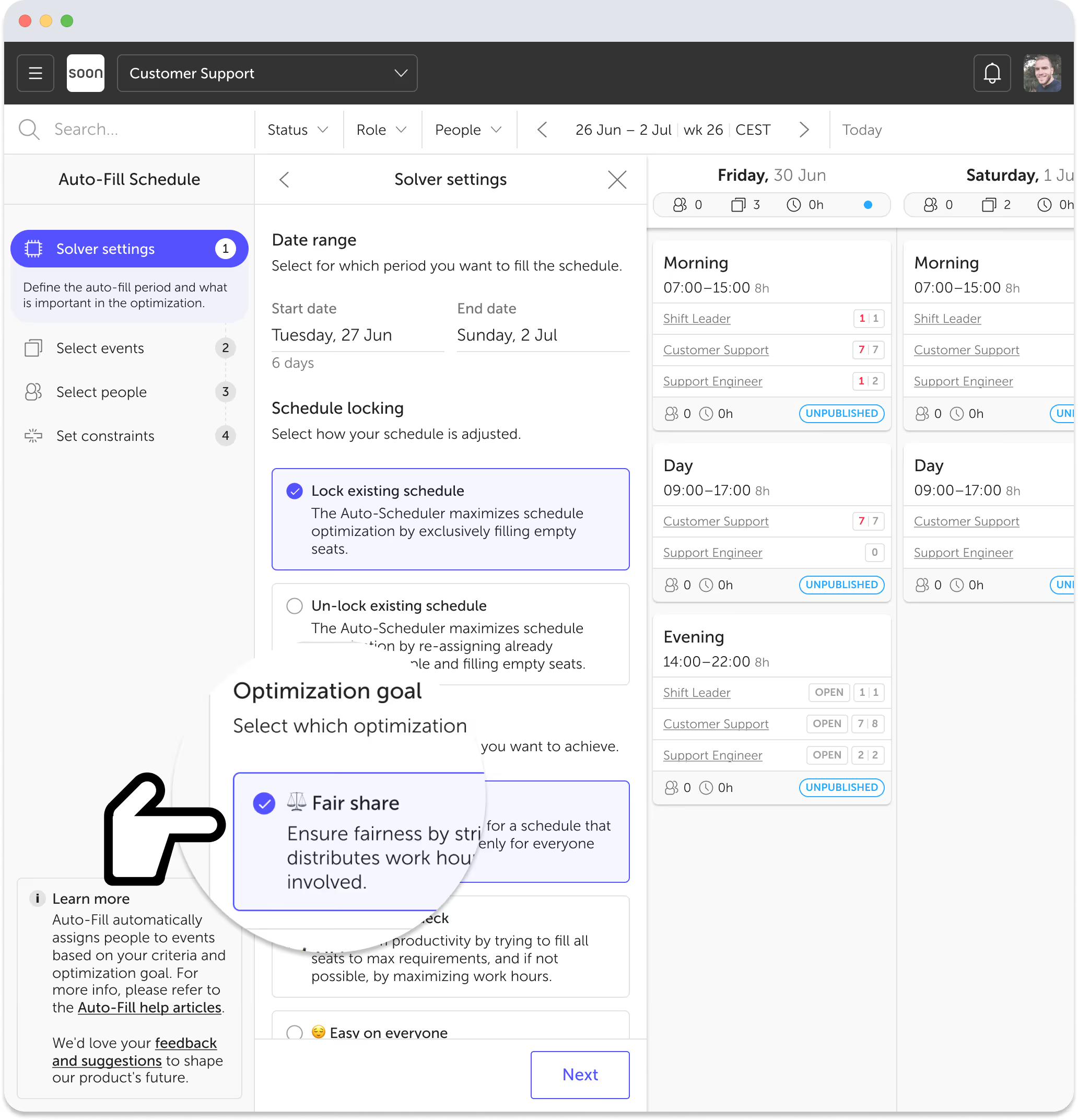
Define your needs

Set up shifts and roles, define minimum and maximum staffing levels, select your objective, and let our optimization engine streamline the scheduling process.

Try it free
Auto-scheduling optimization goal selection in Soon
2

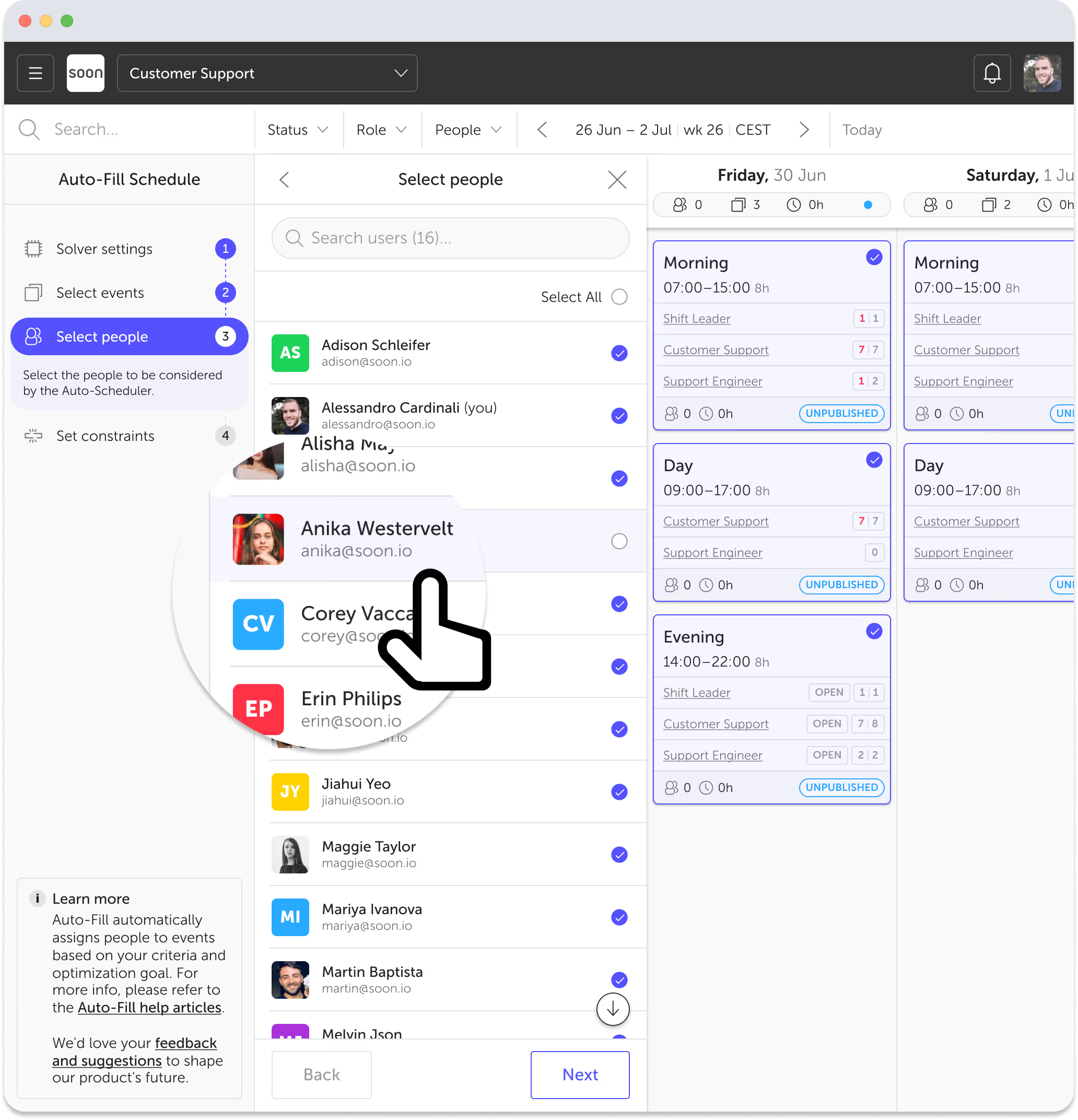
Choose shifts and employees

Choose the shifts that need to be filled and select the staff members who are suitable for scheduling. Exclude certain employees or shifts to meet your specific needs.

Try it free
Selecting people for auto-scheduling in Soon
3

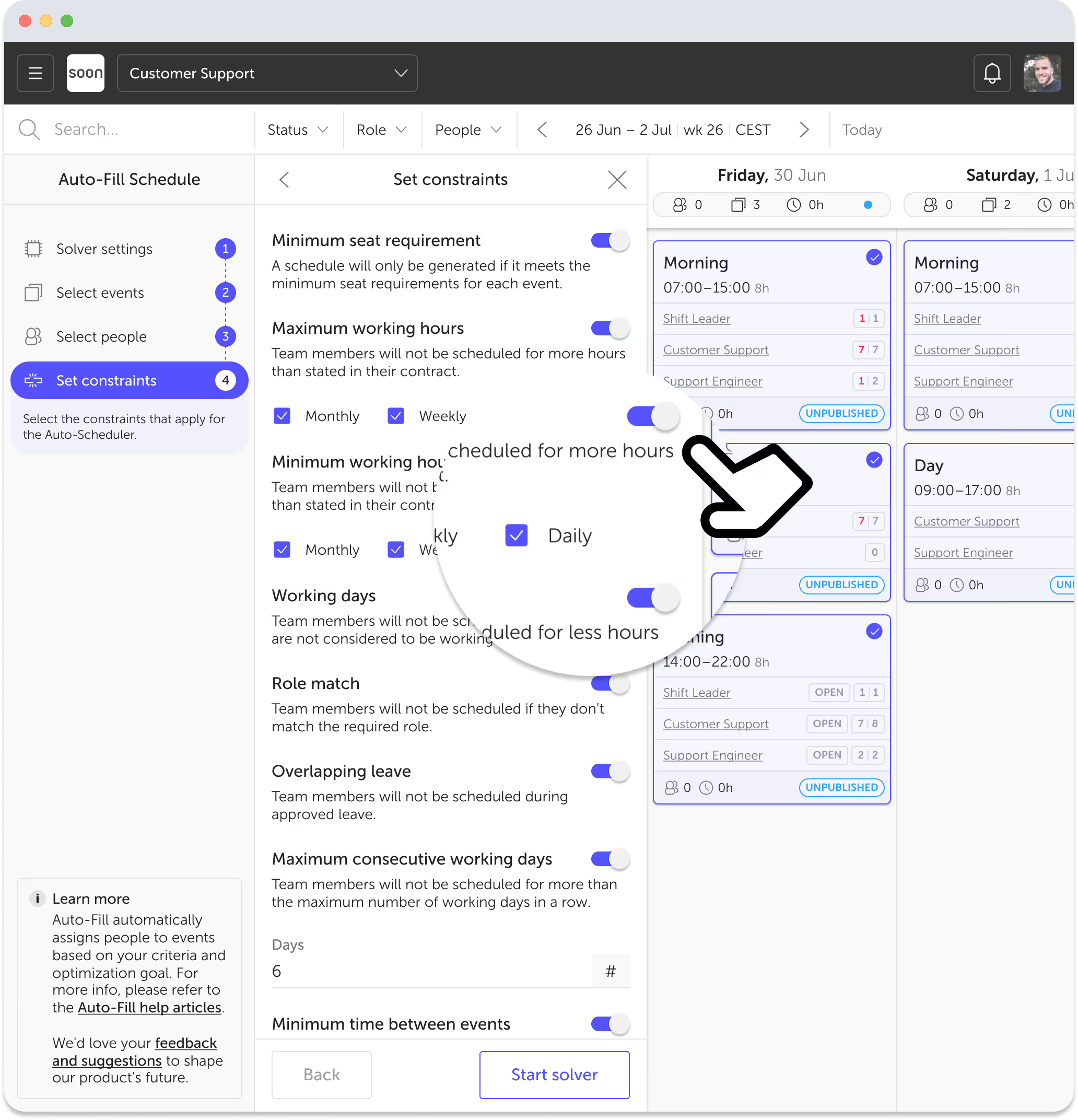
Apply custom scheduling rules

Set constraints based on your unique needs. From work hour limits to rest period requirements, our scheduling engine uses these parameters to propose an efficient schedule.

Try it free
Setting scheduling constraints in Soon
4

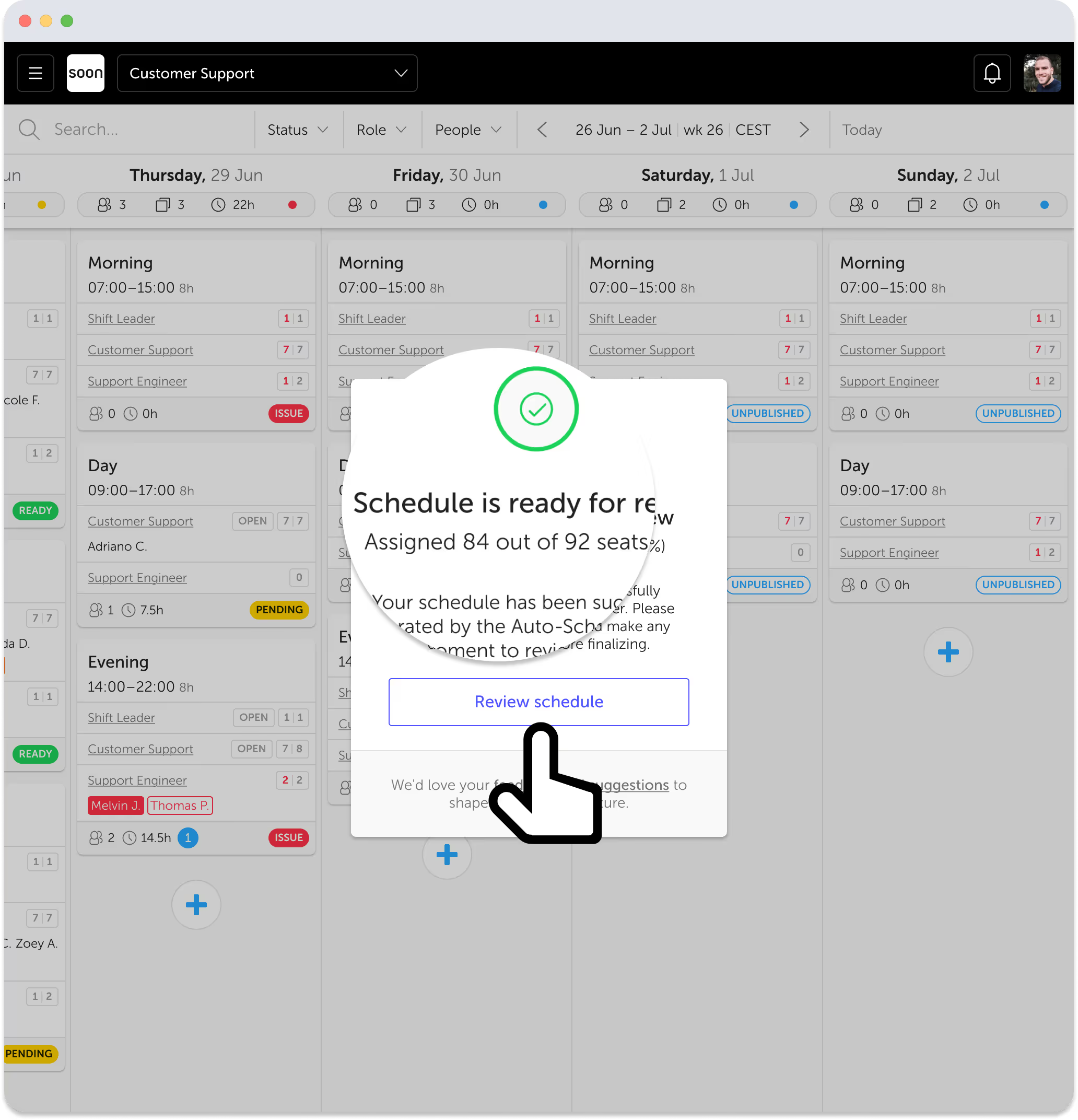
Review and fine-tune

Review the proposed schedule and make any necessary adjustments. This blend of automation and personal touch allows for unforeseen changes and ensures flawless execution.

Try it free
Reviewing auto-generated schedule in Soon

Two scheduling layers

Fill the roster, then optimize the work inside it

Auto-scheduling can describe two different jobs. Soon handles both without hiding the rules or taking the final decision away from the planner.

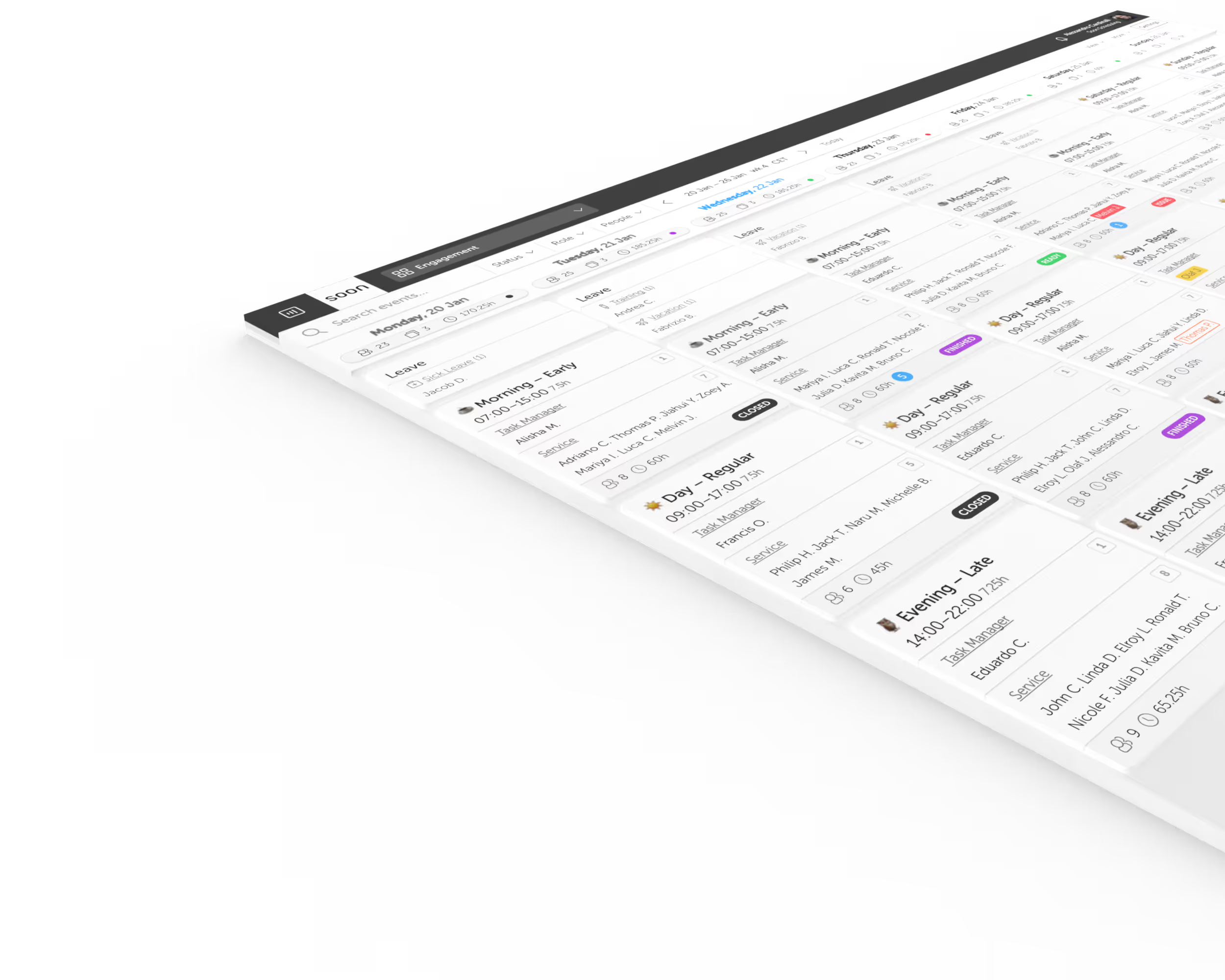
Shift auto-fill

Assign people to shifts around real constraints

Choose the shifts and employees in scope, then let Soon assign qualified people around availability, roles, contracted hours, leave, working days, and rest rules.

See the complete shift scheduling workflow
Intraday solver

Plan breaks, tasks, and coverage inside each shift

Once shifts are assigned, optimize the work inside them. Set activity durations, time windows, staffing requirements, concurrency, gaps, and priorities while keeping planners in control.

Explore intraday management

Get superpowers with auto-scheduling

Save precious time and resources

Say goodbye to hours spent manually assigning shifts. Soon's auto-scheduler can allocate thousands of shifts in seconds, freeing you to focus on what truly matters.

Ensure compliance and eliminate errors

With flexible constraints you can effortlessly enforce legal requirements. The auto-scheduler assigns shifts while avoiding human errors and ensuring compliance.

Unlock strategic scheduling options

Customize the auto-scheduler to fit your needs, whether it's balancing workloads, reducing costs, or ensuring fair shift distribution.

The objectives

Define your scheduling success by selecting an objective that aligns with your team's values and operational goals.

Balanced hours

Ensure fairness by scheduling everyone towards the same percentage of their minimum contracted hours.

Maximize hours

Boost team productivity by filling all seats to max requirements, maximizing work hours where possible.

Cost optimization

Maximize cost efficiency by generating the most economical schedule possible, based on hourly cost of employees.

Custom objectives

Tailored auto-fill objectives to match your unique situation and requirements for personalized optimization.

The constraints

Your business requirements determine the constraints. As teams and scenarios evolve, you can update the rules the auto-scheduler follows each time it runs.

Max. consecutive working days

Team members will not be scheduled for more than the maximum number of working days in a row.

Max. working hours

Team members will not be scheduled for more hours than stated in their contract.

Min. working hours

Team members will not be scheduled for less hours than stated in their contract.

Max. shifts on same day

Team members will not be scheduled on more than the maximum number of shifts per day.

Role match

Team members will not be scheduled if they don't match the required role.

Min. seat requirement

A schedule will only be created if it meets the minimum seat needs for each shift.

Overlapping leave

Team members will not be scheduled during approved leave.

Min. rest time between shifts

Team members will not be scheduled when the time between shifts is smaller than the rest time.

Working days

Team members won't be scheduled for non-working days.

"Our team has been using Soon's auto-scheduler for months now, and it has been a game-changer. It has saved us countless hours of manual scheduling work."

Keith De Saram

Workforce Planner, Beernami

Auto-scheduling questions

The practical details planners usually need before trusting an automated schedule.

What is auto-scheduling software?

Auto-scheduling software assigns employees to shifts using rules such as availability, qualifications, contracted hours, leave, rest periods, and required coverage. It gives planners a faster starting point while keeping the result reviewable and editable.

Which rules can Soon use when filling shifts?

Soon can account for role matching, minimum and maximum hours, consecutive working days, multiple shifts on the same day, approved leave, minimum rest time, working days, and staffing requirements.

What is the difference between shift auto-fill and intraday scheduling?

Shift auto-fill assigns people to shifts. Intraday scheduling plans activities such as breaks, task blocks, and coverage inside those assigned shifts. Soon supports both layers in one scheduling workflow.

Can planners review and change an auto-generated schedule?

Yes. Planners can review the proposal, make manual changes, adjust the rules or objective, and run the solver again. Nothing needs to be published until the result is ready.

Does auto-scheduling replace a workforce planner?

No. It removes repetitive assignment and rule checking, but planners still decide which constraints matter, review exceptions, account for operational context, and approve the final schedule.

Prefer to give instructions in plain language? See how the AI scheduling assistant supports a different part of the planning workflow.

Your next schedule could take 2 minutes.

Import your team, set your rules, hit auto-fill. Most teams are live the same day.

Try Soon free

30 days free ยท No credit card required

Already have an account?Sign in