newAug 19, 2026
Track your team's skills
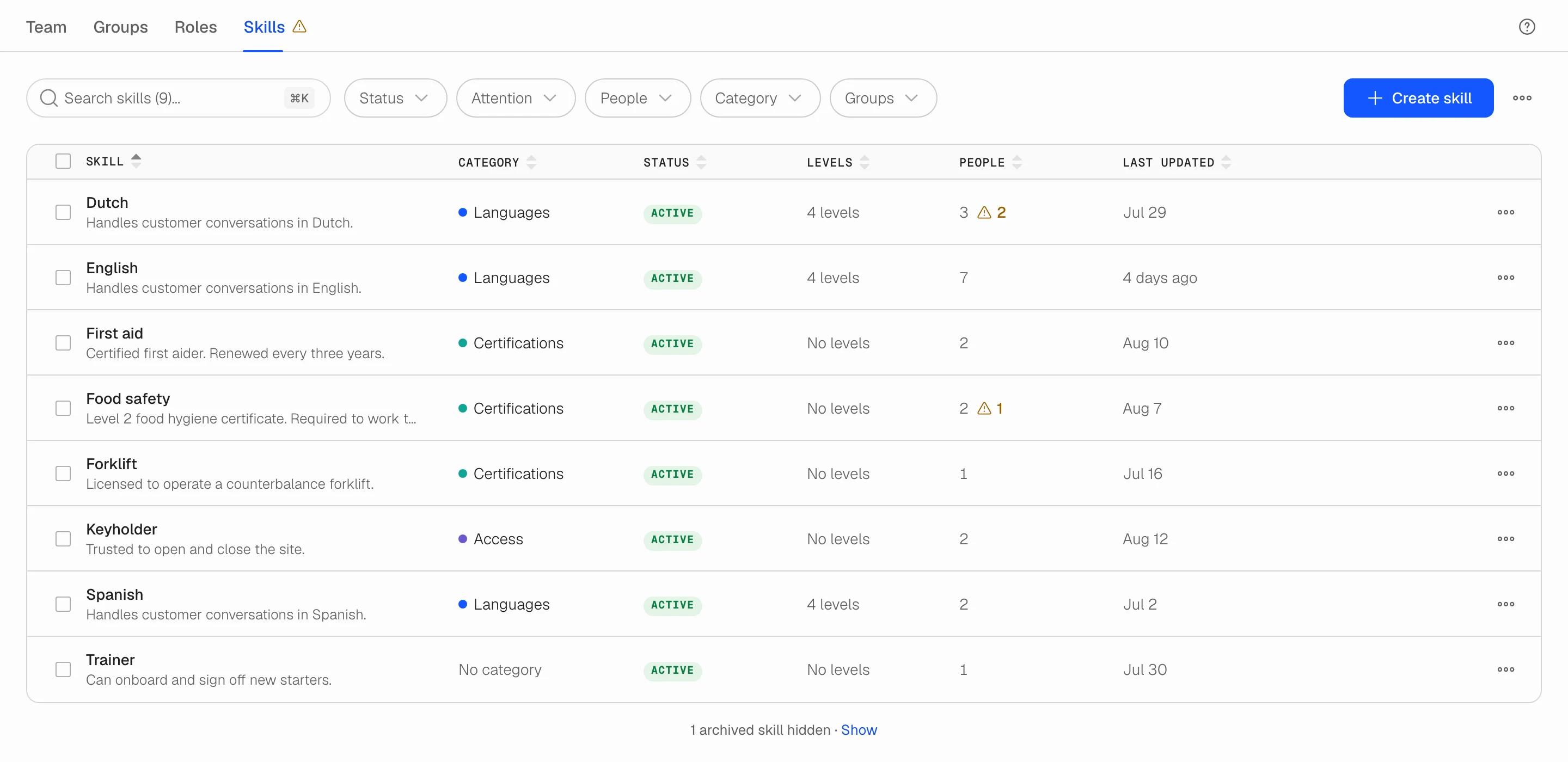
Users has a new Skills tab. Define the skills your work needs, record who holds them and at what level, and set when a certificate runs out. One place that stays current, instead of a spreadsheet.
What you can do
- Create any skill your work needs: a licence, a language, a machine, a system. Give it a short code and an optional colour-coded category such as Languages or Certificates.
- Add an ordered scale to skills that come in degrees (A2, B1, B2, C1). Skills people simply hold need no levels.
- Record who holds each skill, at what level, and from when until when.
- See at a glance what needs attention: an expired certificate, or someone added to a levelled skill who has not been given a level yet. The Attention filter narrows the table to just those.
- Follow every change in the skill's activity log, and find people by skill on the Team tab.
Where to find it
Open Users and go to the Skills tab, next to Team, Groups and Roles. Available to team owners and admins.
Read more in the Skills help articles or on the Skills feature page.