Use workstreams and required skills
Use workstreams for work with its own demand. Add required skills when only qualified people must count toward staffing coverage.
Workstreams and skills answer different planning questions. A workstream defines productive work with its own demand. A required skill defines which people qualify to cover that demand.
Choose a workstream or a skill
- Use a workstream when the work needs its own required value, forecast, or coverage gap.
- Use a required skill when everyone who counts toward coverage must have a qualification or minimum level.
Example: use a workstream for 2 people who must handle French calls. Add French B2 as a required skill when every person who covers those calls must have that level.
Add a workstream
- Select Add staffing need and then select Workstream.
- Select the workstream.
- Select Counts toward and choose its parent activity or role. A workstream cannot stand alone.
- Select Create.
- Open Details and set Shared or Dedicated, the source, the required value, and the time range.
Add required skills
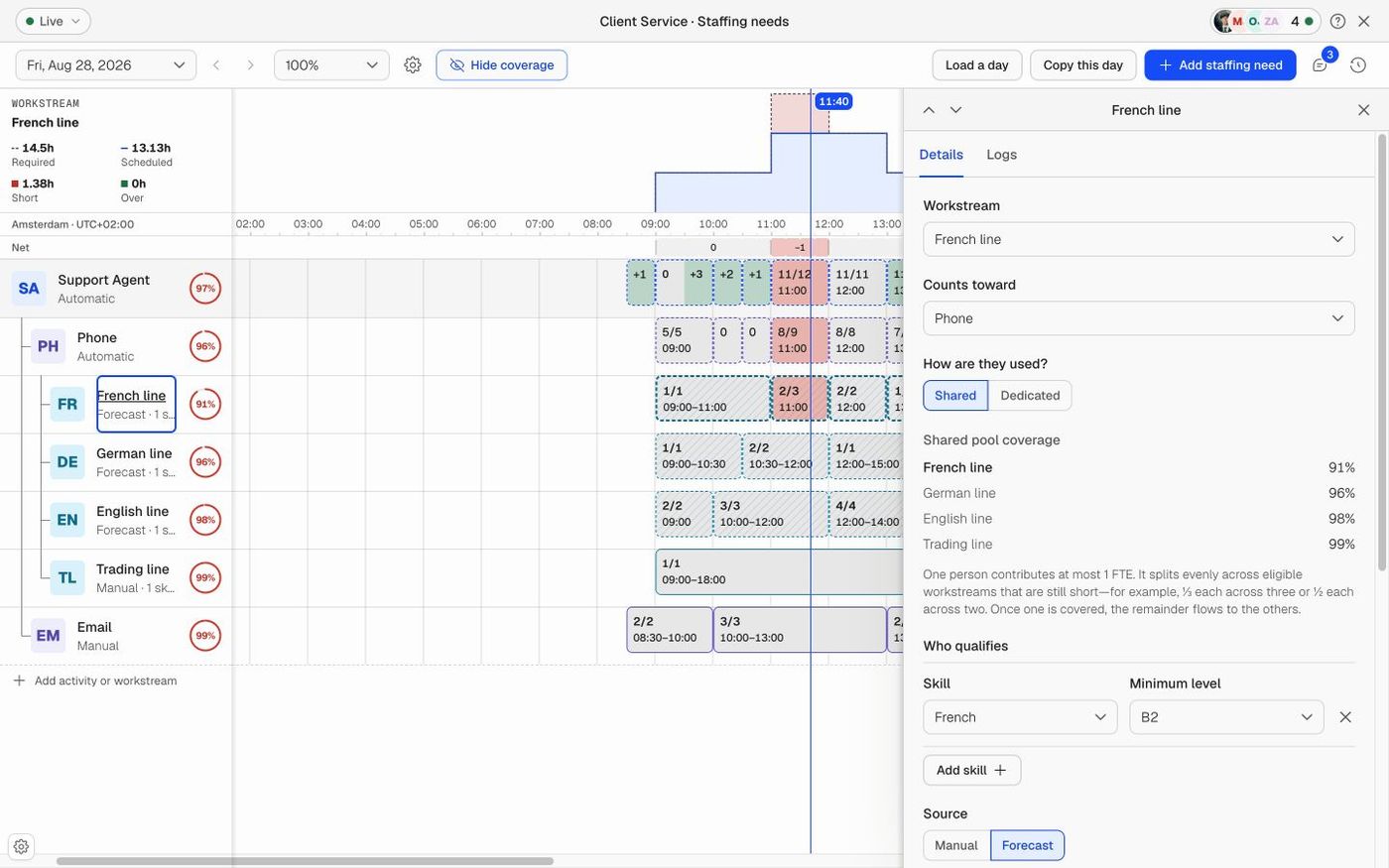
- Select the role, activity, or workstream.
- Open Details and go to Who qualifies.
- Add a required skill and select a minimum level when the skill uses levels.
- Save the requirement. Only scheduled people who meet these rules count toward its coverage.
A skill adds no FTE demand. It changes who can cover the demand.
Choose Shared or Dedicated
- Shared: Eligible capacity can cover more than one workstream where the planning rules allow it.
- Dedicated: Capacity is reserved for this workstream and does not cover another workstream at the same time.
Shared and Dedicated apply only to workstreams.
Understand parent demand
- If a parent requires 10 FTE and its workstreams total 8 FTE, the effective parent demand stays at 10 FTE.
- If a parent requires 10 FTE and three workstreams total 12 FTE, the effective parent demand becomes 12 FTE.
- Required skills never change the parent total.
Next steps
Did this answer your question?Contact us